Church management software isn't a new category. Some of the incumbents have been around longer than the smartphone. So the honest question isn't "does the world need another ChMS?" — it's "what did twenty years of ChMS never get around to fixing?"
We built PewHQ against that list. Not a prettier version of the same product: the specific, unglamorous gaps that every church works around with a spreadsheet, a volunteer's personal phone, or a line item they've stopped questioning.
Here they are.
1. The conversation itself
Every church runs on group conversations: the youth parents, the deacons, the Tuesday women's study, the tech team. Every ChMS on the market handles this the same way — build a group in the app, then hope people log in.
They don't. Half your church will never install anything.
So churches fall back to Facebook Groups, GroupMe, Discord, or a mailing list someone's brother-in-law maintains. Each of those loses the roster, the history, or both.
In PewHQ, every group gets its own email address. People post and reply from the mail app they already use — no app, no password, no login. The threading headers are preserved, so replies nest properly in Gmail and Outlook instead of arriving as a wall of disconnected messages. Reply answers the one person who wrote. Reply all answers the group.
That last sentence is the whole feature. Every other system in this market forces every reply back to all 60 people, which is exactly why churches abandoned them and went back to a mailing list. There's a web archive with @mentions for reading back, per-member digest and off switches, and mail-loop suppression so an out-of-office auto-reply can't melt down a thread. But the archive is for looking things up later — it isn't the price of entry.
2. Youth supervision that isn't a policy document
Here's the one that should be table stakes and isn't anywhere.
When a group has a minor in it, PewHQ automatically copies that young person's guardians on everything. Not as an opt-in setting a volunteer has to remember — automatically, as a property of the group. A parent can download the complete transcript of what was said to their child at any time. Nothing is ever quietly deleted; content is hidden rather than destroyed. And every access to a transcript is logged, including staff access.
Ask any children's or youth pastor what keeps them up at night. Then ask what answer Discord or GroupMe can give a parent — or an insurer, or an attorney — about what an adult said to a fourteen-year-old in a DM. There isn't one. That gap is the single strongest reason to move a youth ministry off consumer chat apps, and no church management platform had closed it.
3. Real fund accounting, not "designated giving"
Most ChMS products have "funds" in the sense that a gift can carry a label. Then the treasurer exports to a spreadsheet and does the actual accounting somewhere else, and the two never agree again.
PewHQ does the accounting:
- Net assets split with and without donor restrictions, the way ASU 2016-14 and your
auditor already ask for it — with recorded releases when restricted money is spent on its purpose.
- Closable months. Once a month is closed, backdated entries are refused. A reported
number stops moving after you report it, which is the entire point of closing a period and something most church software silently doesn't do.
- Bank-deposit reconciliation that itemizes what's inside each Stripe payout — every
gift and every paid registration — so the deposit on the bank statement ties to the gifts in the system without a human reverse-engineering it.
- A board statement built for the person preparing your Form 990.
- Budgets vs. actual, fund transfers, reimbursements, plate cash and check counting, and
year-end tax statements.
None of that is exciting. All of it is the difference between software the treasurer tolerates and software the treasurer trusts.
4. Giving fees at cost — the part that actually costs you money
For any church with real online giving, processing fees dwarf the subscription. A church taking $40,000 a month online at 2.9% + 30¢ is spending well over a thousand dollars a month on processing. The monthly software bill is a rounding error next to it.
The industry's quiet business model is to mark that up and not mention it.
PewHQ passes processing through at cost — roughly 2.2% on cards and 0.8% on ACH, with no platform markup — and makes bank transfer the default rather than burying it behind the card button. Each church connects its own Stripe account, so the money moves from your donors to your bank, not through us.
The fee calculator on pewhq.com will do the math against your actual giving volume. For most churches it's the largest single line of savings — larger than the software itself, which is why we lead with it instead of hiding it in a footnote.
5. Pricing you can read on one screen
No "contact us for a quote." No demo required to learn a number. No per-person tiers that punish a church for growing, and no multi-year contracts.
| Starter | $0 forever — up to ~100 people, people/groups/check-in, free online giving |
| Standard | $49/mo, unlimited people and users, fund accounting, group email, SMS, AI reporting |
| Pro | $99/mo — branded member app, website builder, advanced workflows, multi-site |
Giving is free to enable on every plan, including the free one. You only ever pay processing, at cost.
6. Migration in a day, not a season
The real reason churches stay on software they dislike isn't loyalty. It's that fifteen years of giving history is hostage, and nobody on staff wants to be the person who lost it.
PewHQ's AI-assisted importers bring over people, giving history, group membership, and attendance from Planning Center, Breeze, CCB, Realm and others. What makes them different from a CSV upload:
- AI column mapping — the model reads your export's headers and proposes the mapping.
It does the annoying part; you approve it.
- A dry-run preview before anything commits. You see exactly what will be created and
what will be matched.
- Duplicate-safe re-imports. Run it again after your old system's final Sunday and it
updates rather than doubling everyone.
- One-click undo of any batch.
Reversible and provable. That's what turns a migration from a summer project into an afternoon — and we do it white-glove and free for churches joining early access.
7. AI that's actually allowed near your data — and rules about where it isn't
"AI-powered" is doing a lot of unearned work in this industry right now. Our position is specific, and it's a design rule we don't break:
AI never sums money and never writes to the database. Language models classify,
map, extract, and draft. Deterministic code reconciles and commits. Anything touching
people or funds keeps a human in the loop.
Inside those rails, AI does real work: column mapping on imports, drafted follow-up messages, drafted social captions, care insights, and "ask your data" — natural language reporting over your own records, read-only and tenant-scoped. "Who visited three times but isn't in a group yet?" No report builder to learn, no saved-view archaeology.
There's a search bar that answers in a church's own vocabulary — tithe, bulletin, rota, 990 — including honest "we don't do that" answers when the thing you searched for isn't a feature. An AI that admits a gap is worth more than one that improvises.
8. A member app that's included, not a four-figure upsell
The branded member app is where most vendors put their upgrade wall. It's routinely a five-figure implementation in this market.
PewHQ's member app is an installable PWA that ships with the product: giving, groups, events, directory, prayer, pledges, serving, reading plans — and a genuinely good offline-capable Bible with multiple versions, side-by-side comparison (including across languages), search, highlights, notes, and bookmarks.
The Bible reader deserves its own sentence, because it's the thing that gets someone to open the app on a Tuesday. Engagement is where declining attendance is actually won, and it doesn't happen in an app people open once a year to update their address.
9. In your congregation's language
The entire member app and staff dashboard — not a marketing page, the whole product — is available in English, Spanish, French, Chinese, Korean, Vietnamese, and Portuguese. Each member picks their own.
American churches are more multilingual every year, and the software has not kept up. Most vendors offer an English product and a translated help article. If a third of your congregation worships in Spanish, a directory that only speaks English is a directory that quietly excludes them.
10. Follow-up that happens without anyone remembering
A first-time guest fills out a connect card. What happens next, at most churches, depends entirely on whether one person remembers on Monday.
PewHQ's Outreach hub is one screen for everyone not yet settled: first-time guests, people whose attendance is dropping off, and people waiting on a group. A connect card starts the follow-up workflow on its own; the workflow raises the next step rather than relying on human memory. AI drafts the message; a human sends it.
Alongside it sits pastoral care that most systems treat as an afterthought — prayer requests, visitation logs, benevolence, meal trains, life milestones.
11. Communications built by someone who's read the rules
The unglamorous depth is in here:
- SMS consent is recorded, not assumed. A phone number on file is not permission to
text it. PewHQ records when and where each person opted in, and broadcasts simply exclude anyone without recorded consent — then show you that gap so you can close it.
- Delivery status is real. Every message carries a status callback; only terminal
states are written. Carrier filtering gets its own indicator, because "blocked by the carrier" and "bad number" are different problems with different fixes.
- Broadcasts are queued, never truncated. A large send doesn't die halfway through a
server timeout, and an over-allowance broadcast is refused whole rather than delivered to a random half of the church — because nobody can tell who got it.
- Newsletters lay themselves out. Three blocks — words, a photo, and this week's
events generated from your own calendar and frozen at send. Bounces and unsubscribes suppress automatically.
Each church can also add its own sending domain, so the email comes from your church, and gets its own phone number for two-way texting.
12. Multi-tenancy treated as a safety property
This one is invisible when it works, and it is the only thing that matters when it doesn't.
Every tenant-owned row in PewHQ carries an organization id, enforced at three layers: Postgres row-level security, the query layer, and tenant-derived-from-session. A church's data cannot be read by another church even if application code makes a mistake, because the database itself refuses.
There's a full audit log, data export in CSV and accounting formats, and no lock-in — you can take your data and leave. Software that holds your records hostage doesn't need to be good, and that's precisely the problem with the category.
13. It's actually the whole thing
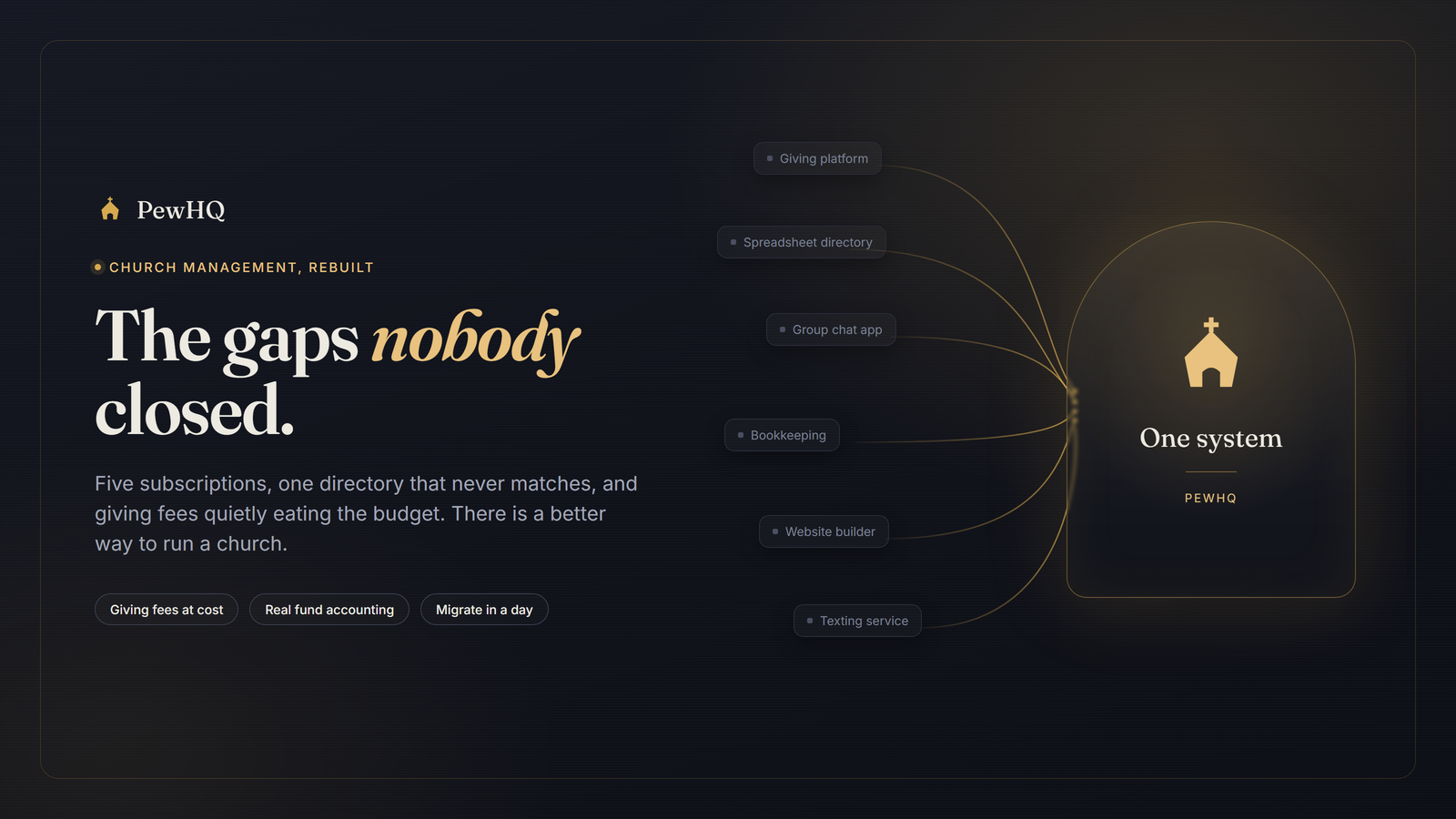
The last gap is simple arithmetic. Most churches are paying for five subscriptions — ChMS, giving, texting, website, bookkeeping — that each hold a partial, mismatched copy of the same directory.
PewHQ is one system with one directory behind it: people and households, groups, serving teams with structured positions, worship set lists with CCLI reporting, order of service, events with RSVPs, code-matched child check-in with labels, sermons and live streaming with an automatic podcast feed, a website builder, forms and paid registration through your own Stripe, facilities booking, background checks, multi-campus, pledge campaigns, and a public API with webhooks.
Your data is never in five places again.
What we're not claiming
PewHQ is in early access, pre-general-availability. The platform is built, deployed, and running — this isn't a landing page with a waitlist behind it — but we're deliberately onboarding a small group of pilot churches before opening the doors.
A few things are honestly still ahead of us: connected social publishing straight to Facebook and Instagram is scaffolded and waiting on Meta's app review (today the AI drafts the post and you paste it), SOC 2 is on the roadmap rather than in hand, and the public API and webhooks will expand.
We'd rather tell you that now than have you discover it in month three. The whole argument of this post is that the industry's problem is opacity — it'd be a poor start to be opaque about our own gaps.
The through-line
None of these thirteen things is a moonshot. Group email threads are older than the web. Fund accounting standards are published. Consent rules are law. Multilingual UI is a solved engineering problem.
What's revolutionary isn't any single feature — it's that somebody finally did all of them in one place, published the price, and refused to take a cut of the offering.
Want to see it? Take the two-minute tour — no sign-up, nothing to install — or join the waitlist and we'll migrate you free when your spot opens.